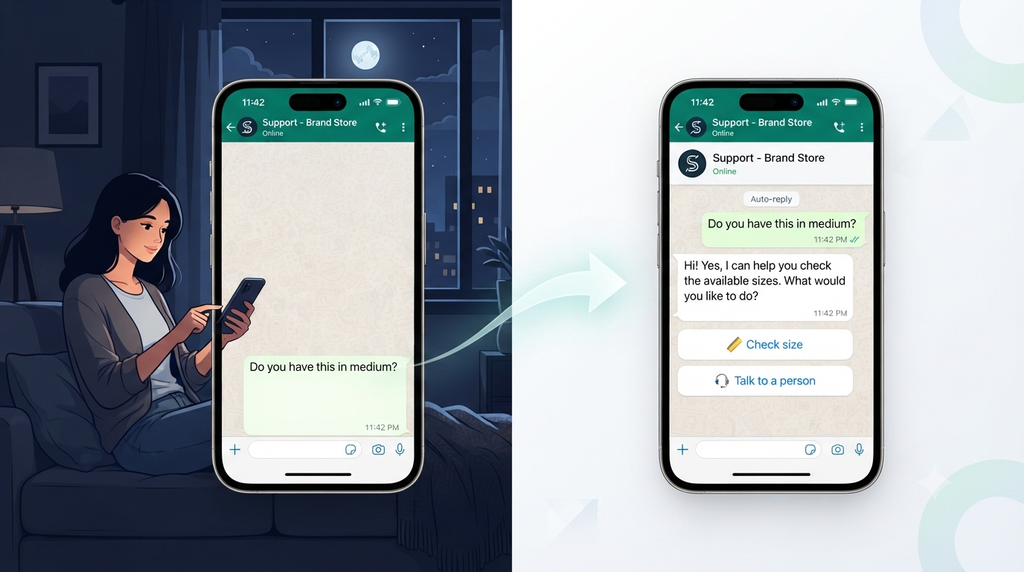
Picture this. It’s 9:47 p.m., and a customer messages your business on WhatsApp asking if the blue jacket comes in medium. You’re at dinner. By the time you reply the next morning, they’ve already bought it somewhere else.
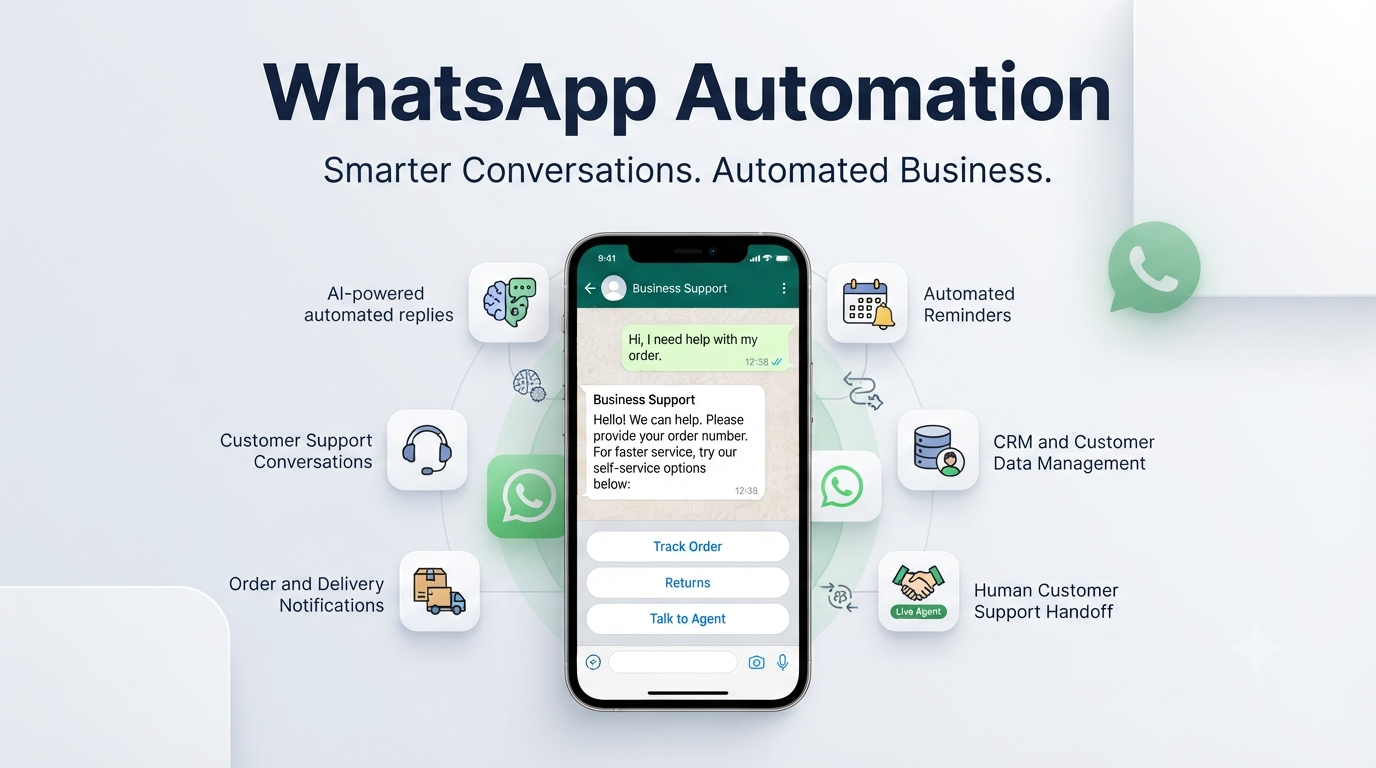
That’s the problem a WhatsApp automation tool solves. It answers, routes, reminds and follows up for you, while keeping a human in the loop for the conversations that need one.
This guide covers what these tools are, how they work under the hood, what you can automate, what they cost, and how to stay on the right side of Meta’s rules. It also compares 21 platforms, including our own, Convo, so you can shortlist quickly.
What Is a WhatsApp Automation Tool?
A WhatsApp automation tool is software that automatically sends, receives, routes or answers WhatsApp messages based on triggers. Those triggers can be a keyword, a form submission, an abandoned cart, a booked appointment or an event in your CRM.
In practice, one tool can do all of this:
- Reply instantly to common questions
- Send order confirmations and delivery updates
- Remind customers about appointments or unpaid invoices
- Qualify leads and push them into your CRM
- Hand the chat to a human agent when things get complicated
The simplest way to think about it is as a very diligent front-desk assistant. It never sleeps and never forgets a follow-up. It also knows when to say, “Let me get someone who can help with that.”
How Does WhatsApp Automation Work?
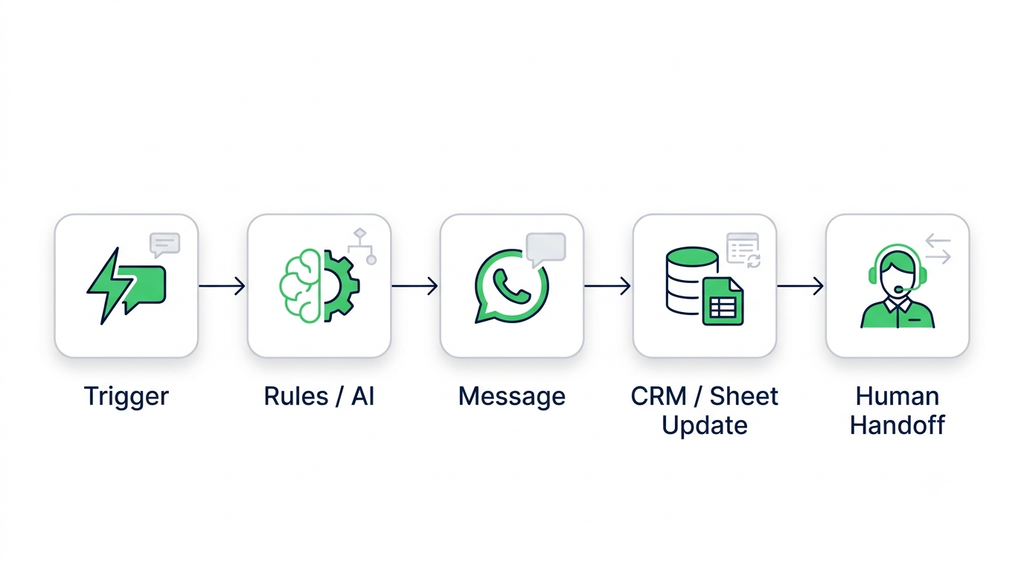
Behind the scenes, most tools follow the same loop.
- A trigger fires. A customer sends a keyword like “PRICING,” submits a web form, or abandons a cart. The tool monitors your inbox and events for exactly these signals.
- Rules or AI logic kick in. The tool checks conditions such as “Is this a new lead?” or “Did they ask about shipping?” A rule-based flow follows a fixed path. An AI agent interprets intent and picks the response.
- A message goes out. That might be a pre-approved template, an interactive message with buttons or a free-form reply inside the allowed window.
- Your systems get updated. The contact is tagged, a row is added to a spreadsheet or the CRM record changes.
- A human takes over when needed. Complex, sensitive or high-value conversations go to a shared inbox where your team picks them up.
Why You Need the WhatsApp Business API
Here’s the part many first-timers miss. To automate WhatsApp properly, you need access to the WhatsApp Business Platform (the API). Most automation tools connect to it for you, either directly or through an official provider. That’s why you don’t just install a bot on your personal number.
WhatsApp Business App vs. WhatsApp Business API
| Feature | WhatsApp Business App | WhatsApp Business API / Platform |
|---|---|---|
| Best for | Small businesses, solo owners | Growing teams, higher volume |
| Automation | Basic (greeting, away messages, quick replies) | Full: chatbots, workflows, AI agents |
| Integrations | Very limited | CRM, e-commerce, Zapier, Make, n8n |
| Multiple agents | Limited | Shared team inbox |
| Bulk/broadcast | Restricted | Template-based campaigns at scale |
| Setup | Download and go | Through a provider or tool |
If you’re sending a few dozen messages a week, the free Business app may be enough. Once you need workflows, integrations or a team inbox, you’ve outgrown it.
Is WhatsApp Automation Allowed?
Yes, when you use the official WhatsApp Business Platform and follow Meta’s rules. Those rules cover messaging, templates, opt-in and quality. Unofficial bots and scraping tools sit in a gray zone that can get your number restricted.
Three things matter most:
- Opt-in: Get clear permission before you message someone first.
- Templates: Messages sent outside the customer service window must use pre-approved templates.
- Quality rating: If customers block or report you, your quality drops and your sending limits can shrink.
One more note for US readers: beyond Meta’s policies, US messaging consent rules (such as the TCPA) may apply to your campaigns. I’m not a lawyer, so check with legal counsel before launching large outreach programs.
Meta has also changed its rules around AI on the platform. For example, it has restricted general-purpose AI chatbots on the Business API while still allowing business-specific automation like support and order bots. Check Meta’s current developer documentation before building anything AI-heavy.
How to Automate WhatsApp Without Getting Banned
- Use the official API through a reputable provider.
- Collect explicit opt-in and keep a record of it.
- Send relevant, expected messages, not blasts to a purchased list.
- Follow template rules and avoid misleading content.
- Monitor your quality rating and pause campaigns if it dips.
- Make opting out easy.
What Can You Automate on WhatsApp?
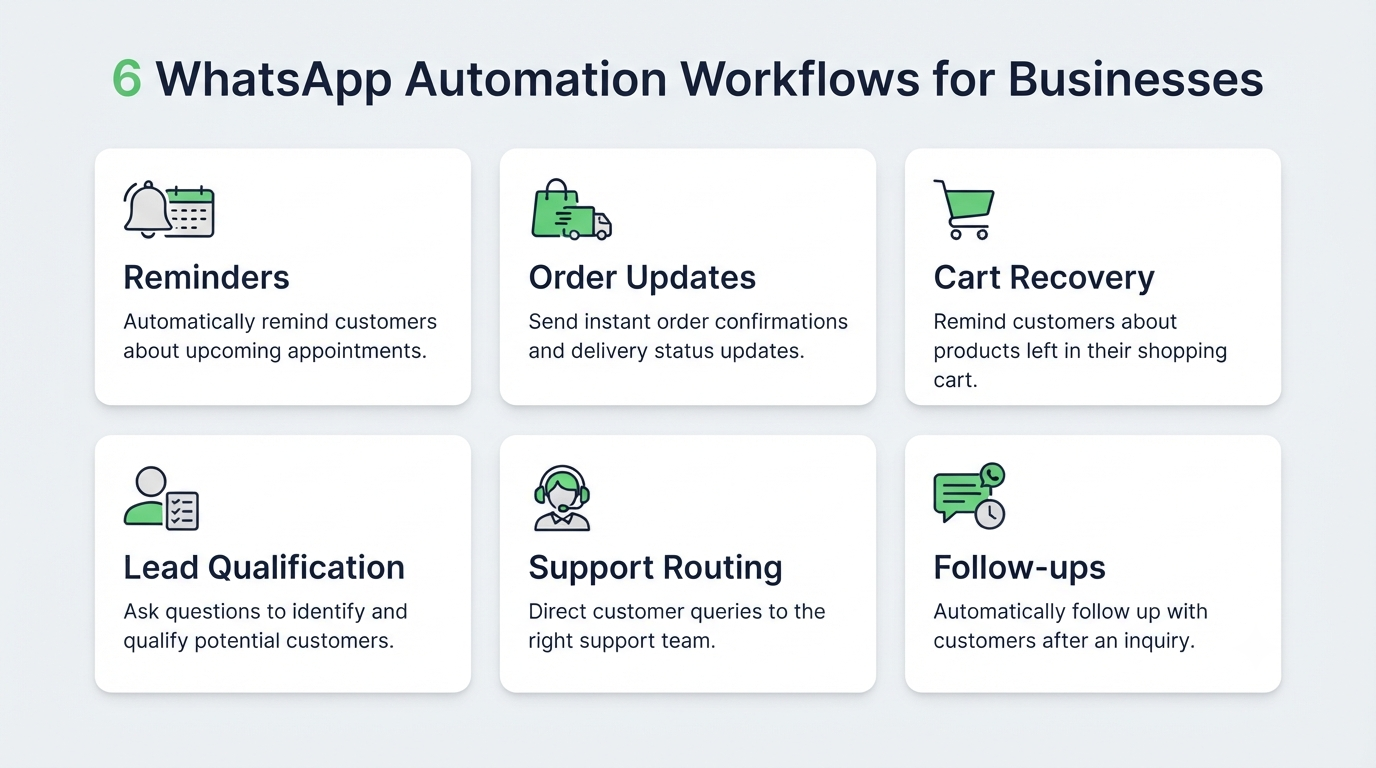
Here’s where it gets practical. Common workflows include:
| Use case | Example workflow |
|---|---|
| Welcome messages | New contact gets a greeting plus a menu of options |
| FAQs | “Shipping?” triggers an instant answer |
| Lead qualification | Bot asks budget, timeline and need, then scores the lead |
| Appointment reminders | Message 24 hours before, with reschedule buttons |
| Order confirmations | Sent the moment checkout completes |
| Delivery updates | Triggered by shipping status changes |
| Payment reminders | Friendly nudge for overdue invoices |
| Abandoned-cart recovery | Message with the cart link after a set delay |
| Support routing | Billing questions go to finance, tech questions to support |
| Post-purchase follow-up | Review request a few days after delivery |
Notice how useful most of these are. The best automations answer a question the customer was about to ask anyway. If you’re unsure where to start, our guide on what to automate first helps you pick the highest-return tasks.
Can WhatsApp Automation Use AI?
Yes. Modern tools can use AI agents to:
- Understand customer intent instead of matching exact keywords
- Answer FAQs from your own knowledge base
- Qualify leads through natural conversation
- Summarize long chats for your team
- Suggest next actions
- Escalate complex cases to a human
The sensible approach is to let AI handle the repetitive 70% (use your own conversation data to find your real number) and send the rest to people. Test AI replies carefully before going live, especially for pricing, refunds and anything legal or medical.
Meet Convo: Our WhatsApp Business Inbox Automation Tool
Full disclosure: Convo is our own product, so take this section with the appropriate grain of salt. We built it for a specific frustration. Your WhatsApp Business number is full of customers, but nothing about it feels like a proper system.
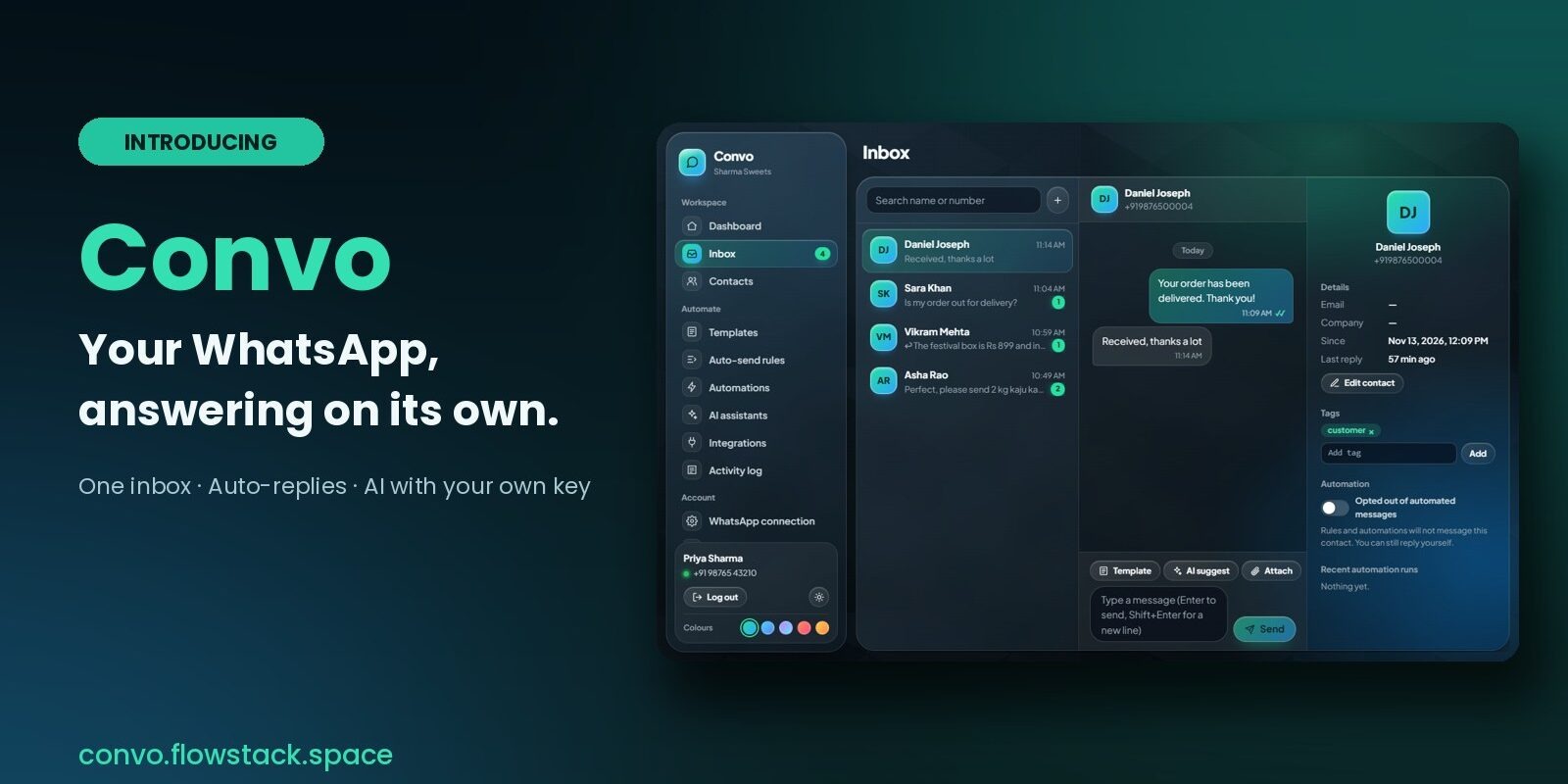
Convo turns your WhatsApp Business number into a real customer inbox. Every chat lands in one place, everyone who writes is saved as a contact, and rules, automations and AI reply for you when you’re busy or away. It’s listed as Free. [ADD: confirm current pricing and any limits]
What You Get with Convo
- One inbox. Every WhatsApp conversation on one screen. Reply with text, a saved template, a file of up to 16 MB, or an AI-drafted reply you can edit before sending. Ticks show when a message is sent, delivered and read.
- Contacts that build themselves. Anyone who messages you is saved with their WhatsApp name and number. Add email, company, notes and tags such as customer or vip, then search or filter by them.
- Templates and quick replies. Create WhatsApp message templates with personal fields like the contact’s first name. Submit them to Meta for approval from inside Convo, or sync the ones you already have. Quick replies for answers you type often are ready at once.
- Auto-send rules. Ready-made rules welcome new contacts, follow up after two hours of silence, reply outside office hours, answer keywords such as “price,” and apologize when a reply is late. Limits per contact and cooldowns stop anyone getting the same message twice.
- Automations. When a message arrives, Convo checks conditions and runs a chain of actions: reply, send a template, reply with AI, email you, post to Slack, call a webhook for Zapier, Make or n8n, update the contact or add a tag.
- AI replies. Add your own key from OpenAI, Anthropic (Claude), Google (Gemini) or any OpenAI-compatible service. Write what your business sells and what it must not promise, then let AI suggest replies or answer customers by itself.
- Dashboard and activity log. See messages in and out, contacts and connection health at a glance. You can also find out exactly why an automatic reply did or did not go out.
That last feature matters more than it sounds. Automation you can’t debug is automation you can’t trust.
Get Started with Convo in Four Steps
- Create your account. Choose a username and password. You’re in straight away.
- Connect WhatsApp. Paste five values from your Meta developer app. Convo checks them, sets up the webhook for you and sends a test message to your phone.
- Turn on replies. Switch on the greeting for new contacts, pick a few ready-made rules and add an AI assistant if you want one.
- Go live. Switch your Meta app to Live, and every customer who messages your number appears in the inbox.
Because Convo connects through your own Meta developer app, you’re working with the official WhatsApp Business Platform, which is the route Meta’s rules expect.
Private by Design
Each Convo account is separate. Your number, chats, contacts and keys are visible only to you. Administrators see who uses the platform, never your conversations. Convo also doesn’t resell AI: you pay your AI provider directly, at their price.
Who Convo Is Built For
Shops, clinics, agencies, coaches and service businesses whose customers would rather send a WhatsApp than fill in a form. It also suits teams who want quick, consistent replies without hiring someone to watch the phone all day.
For a deeper walkthrough, read our post on AI-powered WhatsApp Business inbox automation with Convo.
Do You Need to Code?
No. Many platforms, Convo included, offer ready-made rules, templates and integrations with Zapier, Make and n8n. Coding becomes useful when you want custom logic, deep system integration or full control. In that case, developer-first providers like Twilio or 360dialog fit better.
If you’re technical and weighing a lightweight DIY route, read Apps Script or a real app before you commit to a build.
Can You Send Bulk WhatsApp Messages?
Yes, with caveats. Bulk or broadcast messaging should use:
- Approved message templates
- Audiences who opted in
- The official API
Unsolicited, spam-like blasts hurt your quality rating and deliverability. Volume limits also depend on your plan and your account’s messaging tier.
How Much Does a WhatsApp Automation Tool Cost?
Pricing has two layers:
- Software subscription to the platform
- Meta’s messaging fees for the messages you send, which are usually billed separately or passed through by your provider
Plans can start around $15 per month and climb past $500, depending on features, seats and volume. As one data point, Wati has listed a Pro plan at US$149 per month for five users, with API usage and Meta fees possibly separate. Convo is listed as free, and if you use its AI features, you pay your AI provider directly. Prices change often, so confirm on each vendor’s site.
Meta’s pricing model has also changed over time, shifting from conversation-based to per-message pricing for many message types. Check Meta’s current pricing page for the exact rates that apply to the US.
| Cost factor | What to ask |
|---|---|
| Base subscription | Per month, per seat or per contact? |
| Meta message fees | Included or passed through at cost? |
| Extra seats | What does each additional agent cost? |
| AI features | Included, add-on, or bring your own key? |
| Free trial | How long, and is a card required? |
Which WhatsApp Automation Tool Is Best?
There’s no single winner. The right pick depends on your team, budget and technical comfort.
Quick Selection Guide
| Business need | Best-fit products |
|---|---|
| WhatsApp Business inbox with rules and bring-your-own-key AI | Convo |
| No-code, WhatsApp-first automation | Convo, Wati, Manychat, Chatfuel, Landbot |
| AI-powered customer support | Convo, Wati, Respond.io, Botpress, Freshchat |
| Developer-built custom automation | Twilio, 360dialog, Infobip, Sinch, Vonage, Bird, Gupshup |
| Omnichannel inbox and support | Respond.io, Trengo, Freshchat, Bird |
| Shopify / e-commerce | Zoko, Interakt, GoKwik Kwik Engage, Wati |
| Agencies / multi-account API | 360dialog, Twilio, Infobip, Gupshup |
21 WhatsApp Automation Tools at a Glance
| # | Tool | Best known for |
|---|---|---|
| 1 | Convo | WhatsApp Business shared inbox with auto-reply rules, automations (Slack, email, webhooks for Zapier/Make/n8n) and AI replies using your own key. Listed as free. |
| 2 | Wati | WhatsApp-first platform with no-code chatbots, AI agents, shared inbox and broadcasts |
| 3 | Respond.io | Omnichannel conversations, workflows and lead tracking |
| 4 | Twilio | Programmable WhatsApp API for developers |
| 5 | 360dialog | Official Meta partner and direct API access for agencies and SaaS |
| 6 | Manychat | No-code flows and keyword triggers |
| 7 | Botpress | Building AI agents that connect to business systems |
| 8 | Trengo | Omnichannel inbox with AI agents and workflows |
| 9 | Freshchat | Messaging plus ticketing and CRM unification |
| 10 | Interakt | Campaigns and catalogs, aimed at Indian SMBs and e-commerce |
| 11 | Zoko | WhatsApp commerce for Shopify and e-commerce brands |
| 12 | GoKwik Kwik Engage | E-commerce engagement and cart recovery |
| 13 | Chatfuel | No-code bots for WhatsApp, Instagram and Facebook |
| 14 | Landbot | Conversational flows, lead qualification and booking |
| 15 | Typebot | Open-source chatbot and form builder |
| 16 | Infobip | Global messaging API and omnichannel engagement |
| 17 | Sinch | Enterprise CPaaS with WhatsApp API |
| 18 | Vonage | Communications APIs with WhatsApp messaging |
| 19 | Bird | Omnichannel campaigns and messaging automation |
| 20 | Gupshup | Chatbot development and enterprise integrations |
| 21 | Rasayel | WhatsApp-first sales and support inbox |
A tip for US buyers: some of these tools (Interakt, Zoko, GoKwik) are built primarily for the Indian market. Check US support, billing in USD and compliance fit before you commit.
How to Choose
- Solo or tiny team, no developer: start with a no-code, WhatsApp-first tool.
- Want your own WhatsApp number in a simple inbox, with AI you pay for directly: Convo fits that brief.
- Support-heavy team: prioritize shared inbox, routing and AI handoff.
- Developers on staff: an API provider gives you the most flexibility.
- Selling on Shopify: pick a tool with native store integrations. Our piece on Shopify AI automation covers related ideas.
- Using a CRM already: confirm the integration before you pay. If you’re still choosing one, see our roundup of the best CRM software for small business in 2026.
Can It Integrate with Shopify, HubSpot or Google Sheets?
Yes. Many platforms offer direct integrations or connect through Zapier, Make and n8n. Convo, for example, can call a webhook for Zapier, Make or n8n when a message arrives. A common pattern is routing every new WhatsApp lead into a spreadsheet or CRM automatically. If you like building your own, here’s how to send Google Sheet leads to a CRM with Apps Script. For a ready-made option, take a look at FlowStack CRM, built for startup growth.
You can also pair WhatsApp with billing. Automated nudges work well alongside overdue invoice reminders in Google Sheets.
Pros and Cons
| Pros | Cons |
|---|---|
| Instant replies, 24/7 | Setup and template approval take time |
| Cuts repetitive support work | Bad flows frustrate customers |
| Higher visibility than email | Costs scale with message volume |
| Easy CRM and e-commerce syncing | Strict opt-in and policy rules |
| Scales without hiring at the same pace | AI replies need monitoring |
Five Things to Know Before You Start
- What it is: a tool that automates your WhatsApp inquiries by sending messages and managing the ones you receive.
- What you need: access to the WhatsApp Business API, usually through your chosen tool.
- Cost: basic plans can start around $15 and run past $500, depending on features and volume. Some tools, like Convo, are listed as free.
- Bulk messaging: you can send as many messages as your plan allows, using approved templates and opted-in contacts.
- How it works: the automation monitors your inbox and triggers a workflow when it sees a specific keyword or event.
Conclusion
A WhatsApp automation tool takes the repetitive, time-sensitive part of customer messaging and handles it for you, so your team can spend its energy on the conversations that matter. The recipe is simple: use the official API, collect opt-in, send useful messages, keep humans available and watch your quality rating.
Start small. Pick one workflow, such as a welcome message or an after-hours reply. Get it working, measure it and then expand. If you’d like a simple place to begin, Convo gives you the inbox, rules and AI in one spot.