Picture this. It’s 11 p.m., you’re three coffees deep, and you’re hunting for one customer’s email address. It’s in a spreadsheet. Or maybe a Slack thread. Or the notes app on your phone, somewhere between a grocery list and a half-baked product idea.
If that feels a little too familiar, hi, welcome. You’re in the right place.
I’ve watched a lot of early-stage teams go through this. Customer data ends up scattered everywhere, follow-ups get forgotten, and every email goes out as the same bland blast. Nobody planned it that way. It just happens when you’re busy building a company.
That’s the gap FlowStack CRM is built to fill. In this post, I’ll walk you through what it is, what it does, what it costs (sort of), and where it fits. I’ll also be honest about where it doesn’t, because you deserve that before you commit to any tool.
Insert image: a messy desk with sticky notes and spreadsheets on one side, a clean FlowStack dashboard on a laptop on the other.
What Is FlowStack CRM?
Let’s keep this simple.
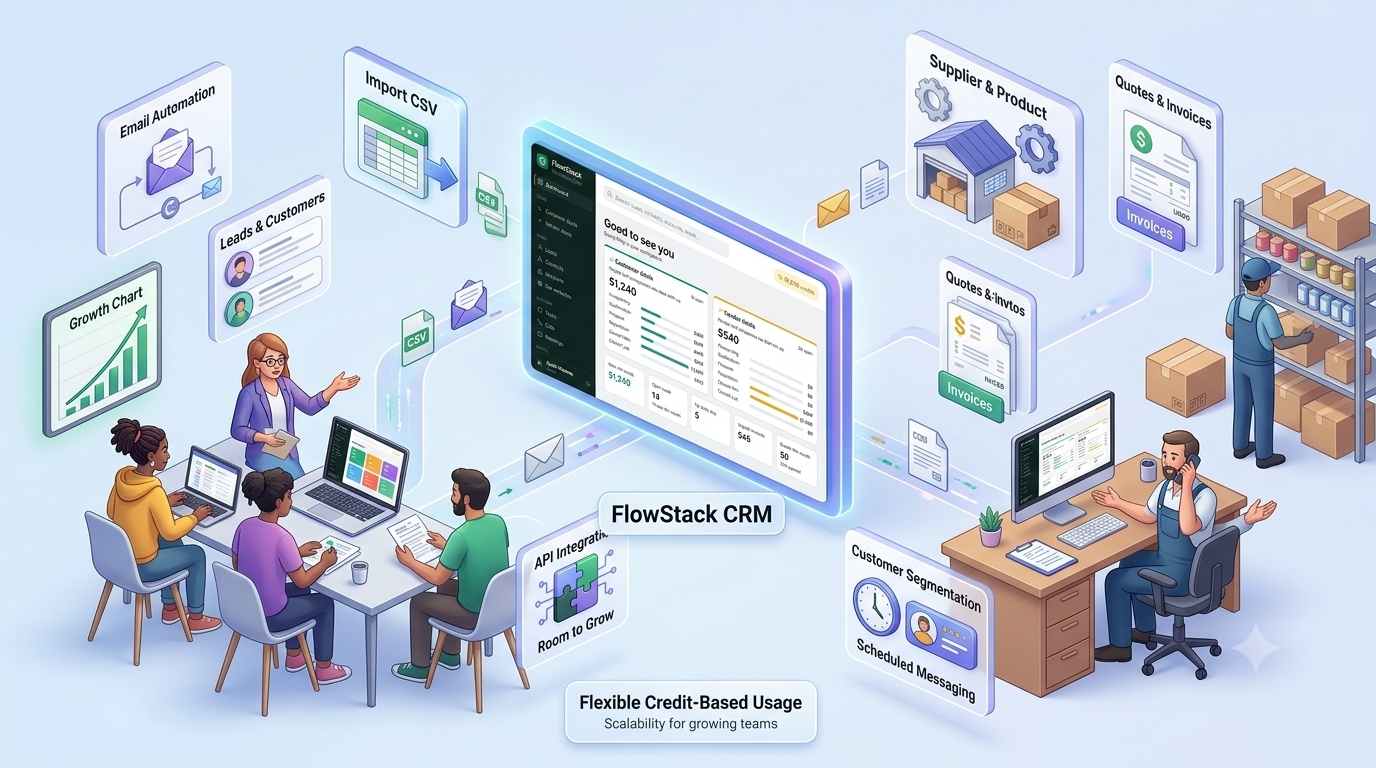
FlowStack CRM is a customer data, vendor data, and marketing automation platform. It helps you pull your customer information into one place, split people into useful groups, and send them messages that actually sound like they were written for them.
Think of it as the tidy filing cabinet and the friendly assistant, living in the same room. The cabinet holds your data. The assistant uses it to send the right message at the right time.
Here’s what sits inside:
- One home for customer data. No more five versions of the same person.
- Segmentation. Group customers by details like state, priority, the employee who owns the lead, and ID.
- Email campaigns. Templates, personalization, and drip sequences.
- Scheduled messaging. Write it now, send it later.
- Supplier management. Because your vendors matter too.
- Product management, quotes, and invoices. The boring stuff, handled.
- A full API. For when you want to build your own thing on top.
That’s a lot of ground. Let’s go through it piece by piece.
FlowStack CRM for Startups and Small Business
So, is FlowStack a fit for startups? Yes. It’s positioned for both startups and established businesses that want better data-driven marketing automation.
Here’s why it tends to suit smaller teams:
- Quick to start. CSV import means you aren’t hand-typing hundreds of records.
- Does a lot in one place. Email, segmentation, quotes, and invoices share one home.
- Scales with you. The API gives you somewhere to go when you outgrow the basics.
- Usage-based thinking. Credit-based pricing can match a team that’s still finding its rhythm.
And for a small business that isn’t a startup in the Silicon Valley sense, say a local supplier or service company, the same logic holds. If you have customers, vendors, and a need to stay in touch, you’re the target audience.
Is FlowStack a Traditional Sales CRM?
Short answer: not exactly. And I’d rather tell you that now than have you find out in week three.
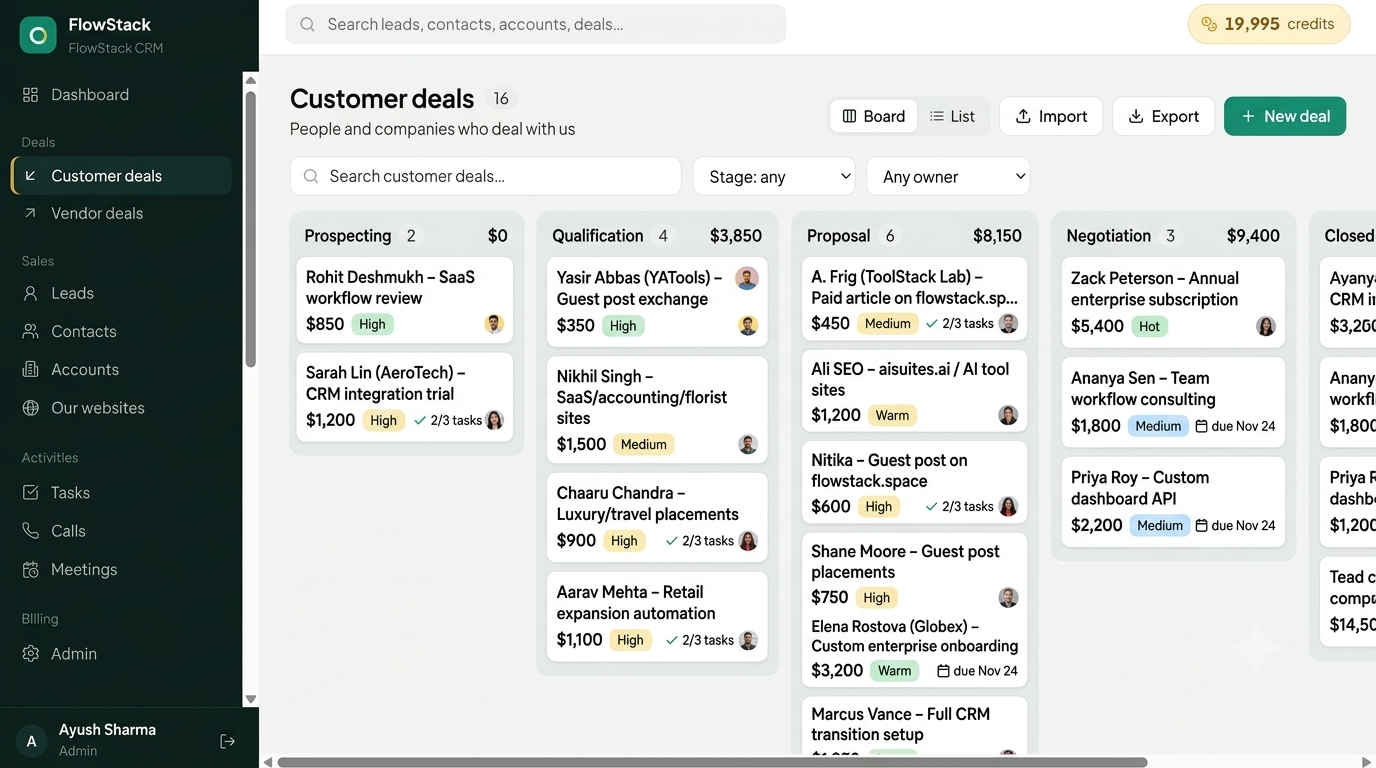
FlowStack is mainly a customer data platform (CDP) with marketing automation on top. It’s strongest at organizing who your customers are and talking to them in a personal way. It isn’t built primarily as a sales-first pipeline tool, the kind where you drag deals across stages all day.
Is that a dealbreaker? Not at all. It just helps to know what you’re buying. If your biggest pain is chasing deals through a long sales pipeline, you may want to pair FlowStack with a dedicated sales CRM. If your pain is messy data and weak follow-up, FlowStack is aimed right at you.
| Your main problem | Is FlowStack a good fit? |
|---|---|
| Customer data scattered across tools | Yes, this is its core job |
| Generic, one-size-fits-all emails | Yes, segmentation and templates help a lot |
| Manual follow-up and reminders | Yes, drip sequences and scheduling |
| Tracking a complex multi-stage sales pipeline | Maybe pair it with a sales CRM |
| Needing SMS campaigns today | Not yet, SMS is coming soon |
FlowStack CRM Features: The Full Tour
Here’s a quick view of what you get, and what it means in plain English.
| Feature | What it does | Why a startup cares |
|---|---|---|
| Customer data management | Keeps customer records in one place | One source of truth |
| Customer segmentation | Groups people by state, priority, lead owner, ID | Sends relevant messages |
| Email campaigns | Sends personalized emails from templates | Looks personal, saves time |
| Drip sequences | Sends a series of emails on a schedule | Follow-up on autopilot |
| Scheduled messaging | Queues messages for a set time | Reach people at the right moment |
| Supplier management | Tracks vendor details | Keeps the supply side organized |
| Product management | Stores your product info | Quotes and invoices pull from it |
| Quote generator | Builds quotes quickly | Close deals faster |
| Invoice generator | Creates invoices | Get paid without extra tools |
| CSV import | Brings in data from files | Fast start, low effort |
| Full API | Lets you build custom apps | Room to grow |
Now let’s get into the parts that matter most.
Why Startups Outgrow Spreadsheets (Faster Than They Think)
Spreadsheets are great. I love them. They’re also where customer data goes to get lost.
In the early days, a spreadsheet does the job. You have 40 customers. You know them all by name. Then you have 400, and half of them came from a sign-up form, a webinar, and that one event where you ran out of business cards.
Here’s where things usually crack:
- Duplicates. The same person shows up three times with three spellings.
- No history. Nobody remembers who talked to whom.
- Generic messaging. You email everyone the same thing because segmenting by hand is painful.
- Slow follow-up. Leads cool off while you hunt for their details.
A CRM fixes this by giving all of that a single, shared home. And for a startup, speed matters more than polish. You don’t have time to run a six-month setup project.
FlowStack Email Marketing and Email Automation
Okay, this is the engine room.
FlowStack includes email sending, so you can use your customer data to send targeted, personalized campaigns right from the same platform that holds the data. No exporting a list into another tool and praying nothing breaks.
FlowStack as a Customer Data Platform
A customer data platform sounds fancy. It really isn’t. It’s a place where everything you know about your customers lives together, so you can actually use it.
The real value shows up when your data stops being a pile and starts being a picture. You can see who someone is, where they’re from, how important they are to you, and which teammate owns the relationship.
One small thing I like: FlowStack also handles vendor data, not just customers. A lot of startups forget that their suppliers are part of the story. When your customers, products, and suppliers all sit in one system, the dots connect more easily.
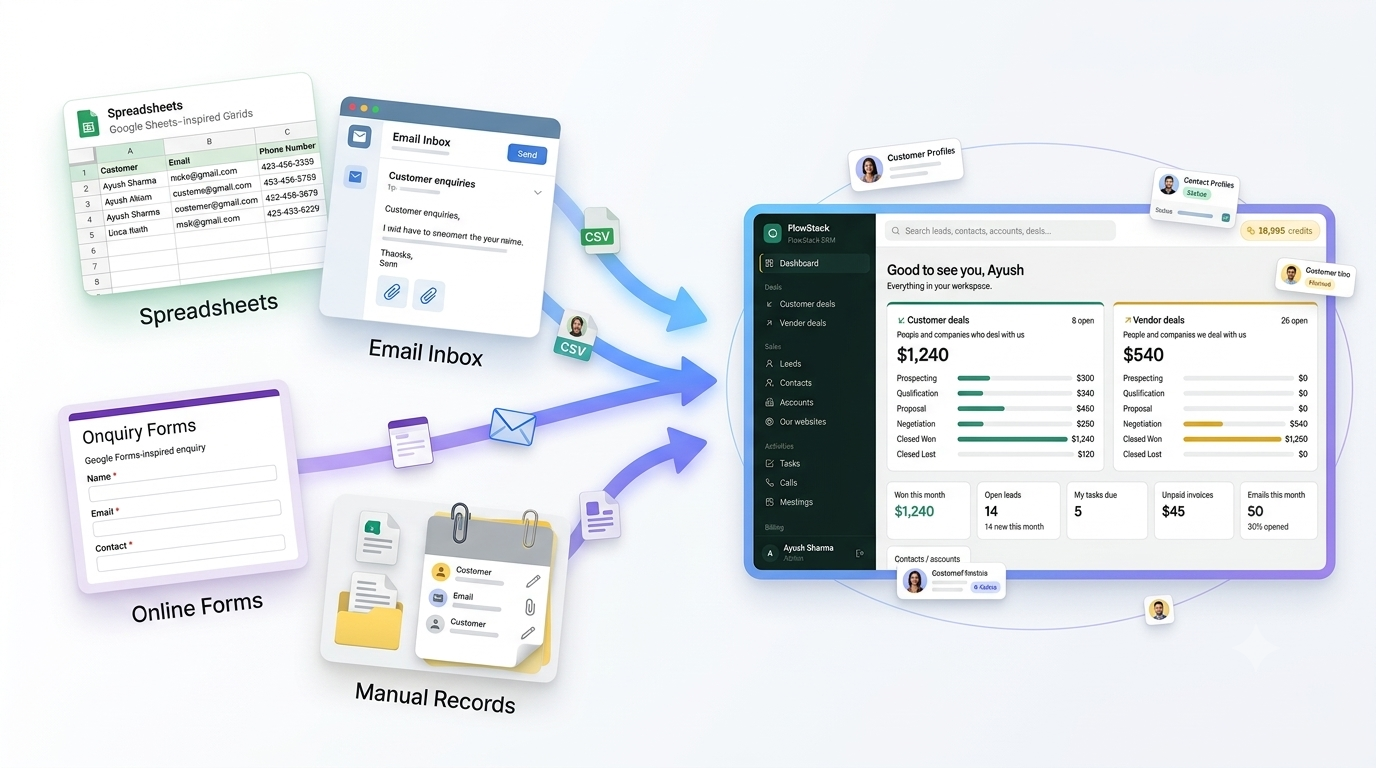
Getting Your Data In: FlowStack CSV Import
This is the part where most people brace for pain. Don’t.
FlowStack supports CSV import for creating and updating records. The handy bit is that it matches the column headers in your file to FlowStack fields, and the data gets mapped automatically.
So, in practice:
- Export your contacts from the spreadsheet or old tool as a CSV.
- Make sure your column headers are clear (think “Name,” “Email,” “State”).
- Upload the file to FlowStack.
- Check that the fields matched up.
- Done. Your data has a new home.
Pro tip: Clean your file before you upload it. Delete blank rows, fix obvious typos, and merge duplicates. Ten minutes of tidying saves hours of confusion later. Think of it as washing the vegetables before you cook.
FlowStack Customer Segmentation: Say the Right Thing to the Right People
Here’s a question. Would you send the same text to your mom and your landlord?
Probably not. Same idea here.
FlowStack customer segmentation lets you slice your audience using the details you already have: customer state, priority level, the employee who owns the lead, and customer ID. Then you send messages meant for that specific group.
A few ideas to get you thinking:
- By state: Send a regional update, event invite, or local offer only to people in that area.
- By priority: Give your most important customers a more personal touch.
- By lead owner: Let each team member see and follow up with their own people.
- By ID: Target a specific handful of accounts for a pilot message.
Segmentation is the quiet hero of good marketing. Relevant messages get read. Irrelevant ones get archived, or worse, unsubscribed.
Templates That Make Emails Feel Personal
You get different email templates to build personalized messages. Set up a template once, drop in the personal details, and every person gets an email that feels like it was written just for them. (Because, in a sense, it was.)
Drip Sequences: Your Follow-Up on Autopilot
A drip sequence is just a series of emails sent to each person on a schedule. That’s it.
Here’s a simple example for a new sign-up:
| Day | Goal | |
|---|---|---|
| Day 0 | Welcome and what to expect | Say hello |
| Day 2 | A quick win or tip | Show value early |
| Day 5 | A short story or use case | Build trust |
| Day 9 | Gentle nudge to take the next step | Move them forward |
You write it once. FlowStack sends it to each person on their own timeline. You go build your product.
And with scheduled messaging, you can also line up one-off emails ahead of time. Writing on Sunday night and sending Tuesday morning is a perfectly respectable life choice.
Quotes, Invoices, Products, and Suppliers
This part surprises people. FlowStack isn’t only about email.
It also handles the everyday business tasks that usually live in five different tools:
- Product management: Keep your product details in one place.
- Quote generator: Build a quote without starting from a blank page.
- Invoice generator: Create invoices and keep your paperwork together.
- Supplier management: Track the vendors you rely on.
For a startup, fewer tools means fewer logins, fewer bills, and fewer places for things to go missing. That’s a real win when your team is four people and a very loyal dog.
The FlowStack CRM API: Room to Grow
Here’s something that makes FlowStack more interesting than it looks at first glance.
It has a full API. In plain terms, that means developers can use FlowStack as the backend for their own apps. Think customer portals, preference centers, or any custom tool you want to build on top of your customer data.
Why does this matter for a startup? Because you won’t stay small forever, and your needs will get weird. A good API means you’re not boxed in. If you ever want to connect FlowStack to something else you use, the API is your route.
A quick honest note on integrations: the API is the main way to connect things. If you rely on a specific tool, ask the team whether a ready-made connection exists before you assume it does.
FlowStack CRM Pricing: How Does It Work?
Let’s talk money. Everyone’s favorite topic.
FlowStack uses a credit-based pricing model. Instead of paying a flat monthly fee for a fixed bundle, you use credits for what you do on the platform.
What does that mean for you?
- Potential upside: You pay in line with how much you actually use, which can suit a young company with unpredictable volume.
- Something to check: Credit systems work best when you know how many credits each action uses. Ask how credits are counted so you can estimate your monthly use.
My advice: Before you commit, list what you plan to do in the first three months. How many contacts? How many emails? Then ask what that looks like in credits. That one exercise turns a vague price into a real number.
For current plans and details, check the pricing page or talk to the team directly. Pricing can change, and I’d rather point you to the source than guess.
FlowStack vs HubSpot vs Salesforce
This is the question I hear most. And the honest answer is: they’re built for slightly different jobs.
| FlowStack | HubSpot | Salesforce | |
|---|---|---|---|
| Core focus | Customer data unification and marketing automation | Broad CRM with sales, service, and marketing | Large CRM ecosystem for sales, service, commerce, and more |
| Best for | Teams that want unified data and personalized outreach | Teams wanting an all-in-one suite | Larger teams needing deep customization |
| App marketplace | Use the API to build or connect | Extensive third-party marketplace | Extensive third-party marketplace |
| Pricing style | Credit-based | Varies by plan | Varies by plan |
| Pipeline-first sales | Not the main focus | Yes | Yes |
FlowStack CRM vs HubSpot
HubSpot is a big, friendly all-in-one suite. If you want sales, service, and marketing under one roof, it’s a popular pick. FlowStack is narrower on purpose. It goes deep on data and automated communication, and it gives you an API if you want to build around it.
FlowStack CRM vs Salesforce
Salesforce is the heavyweight. It offers a huge ecosystem and a lot of room to customize, which is great when you need it and a lot when you don’t. For an early-stage team that wants to move fast, FlowStack’s focused approach can feel lighter.
The takeaway: Neither comparison is about “better.” It’s about fit. Pick the one that matches the problem you actually have today.
FlowStack CRM Alternatives: When to Look Elsewhere
I promised honesty, so here it is. FlowStack isn’t for everyone.
Consider alternatives (or a combo) if:
- Your team lives inside a sales pipeline all day and needs deal stages, forecasting, and the works.
- You need SMS campaigns right now, not later.
- You want a huge third-party app marketplace out of the box.
A lot of startups happily run a customer data and marketing tool like FlowStack next to a dedicated sales CRM. They don’t have to fight each other. Sometimes two focused tools beat one bloated one.
Frequently Asked Questions
What is FlowStack CRM? It’s a customer data, vendor data, and marketing automation platform. It helps you unify customer data, build audience segments, and automate personalized communication.
Is FlowStack a traditional sales CRM? Not exactly. It’s mainly a customer data platform with marketing automation. If you want a sales-first pipeline tool, you may want to add a dedicated sales CRM.
What can I use FlowStack for? Customer segmentation, supplier management, personalized email campaigns with drip mode, scheduled messaging, marketing automation, customer data management, product management, quotes, invoices, and building customer-facing apps through the API.
Does FlowStack include email sending? Yes. You can send targeted, personalized emails using different templates, plus drip sequences that go out to each person on a schedule.
Does FlowStack support SMS marketing? Not yet. The feature is coming soon.
How does FlowStack segment customers? By details such as customer state, priority, the employee who owns the lead, and ID. You then send relevant messages to each group.
Can FlowStack import customer data from CSV files? Yes. It supports creating and updating records from CSV files, and matching column headers to FlowStack fields maps the data automatically.
Does FlowStack have an API? Yes, a full API that can power customer portals, preference centers, and custom apps.
How much does FlowStack cost? FlowStack uses a credit-based pricing model.
Is FlowStack suitable for startups? Yes. It’s positioned for startups and established businesses that want data-driven marketing automation.
How is FlowStack different from HubSpot or Salesforce? FlowStack focuses on customer data unification and marketing automation. HubSpot and Salesforce offer broader ecosystems that also cover sales, service, commerce, and large app marketplaces.
Final Thoughts: Build Your Growth on Good Data
Growth rarely comes from one big move. It comes from a hundred small, well-timed ones: the right email, to the right person, on the right day.
That’s what FlowStack CRM is built to help with. It gathers your customer and vendor data in one place, helps you segment it, and puts your follow-up on autopilot. It’s not a pipeline-first sales CRM, and I’ve been clear about that. But if your real problem is scattered data and generic messaging, it’s aimed straight at you.
Here’s your next step: Take your messiest customer spreadsheet, clean it up, and give FlowStack a test run with it. Ask the team about a demo, ask how credits work for your use case, and see how it feels with your own data. That’s the only review that really counts.
Ready to stop hunting for emails at 11 p.m.? [Book a FlowStack demo today and give your customer data a proper home.]
1 comment